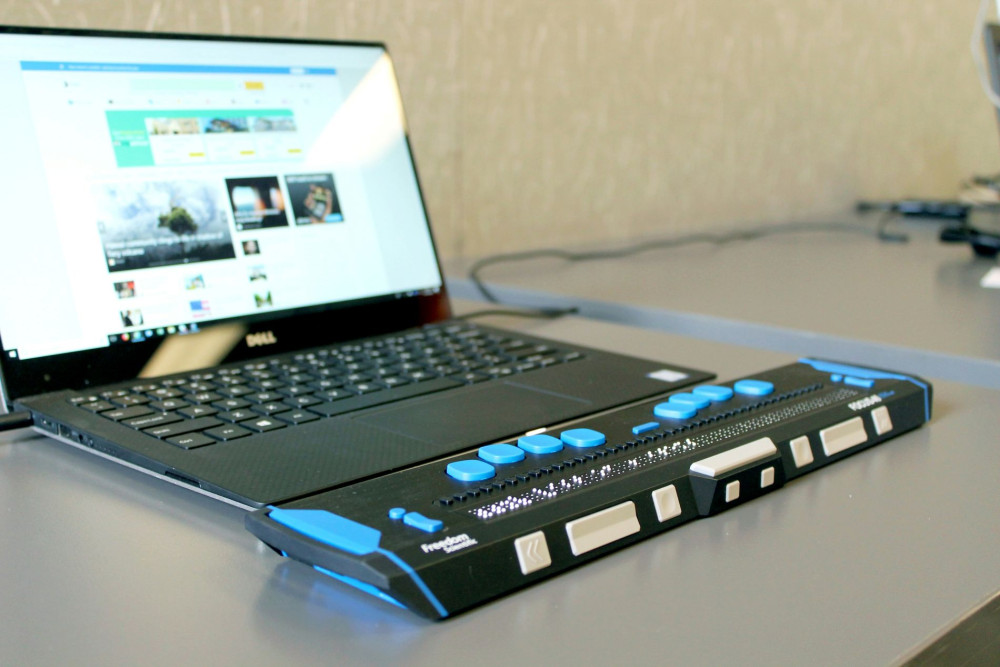
How to make your website accessible - and strengthen your brand
With the German Accessibility Improvement Act, companies will soon have to make many of their online offerings more accessible for people with disabilities. We show you how accessibility strengthens your brand and how you can increase the accessibility of your website with just a few measures.
The German Accessibility Improvement Act(Barrierefreiheitsstärkungsgesetz, BFSG) comes into force on June 28, 2025. By this date, many manufacturers, importers, retailers and service providers will have to make their products and services accessible, especially their websites, online stores and other digital services. According to some surveys, over 95% of all websites still have at least one "error" that restricts their accessibility. For individual websites, this may only present a minor issue. On a broader scale, however, it means that people who live with special disabilities and are dependent on accessible websites almost never experience a trouble-free online experience in their everyday lives.
Accessibility is therefore an opportunity for companies - including yours. If you make your digital offerings more accessible for people with disabilities, you will also win them over as potential customers and employees. Accessibility therefore strengthens your brand in general and your employer brand in particular.
In this article, we explain:
What accessibility is.
When your company falls under the BFSG.
How to strengthen your brand with accessible content.
How to make your online content more accessible with just a few measures.
Accessibility makes the world accessible for people with disabilities
Accessibility aims to design as many areas of life as possible in such a way that all people can use them independently and without outside help - regardless of disability, age or other limitations. Whether in public spaces, in education or in our communication: accessibility ensures that no one is excluded.
In the digital context, accessibility means that websites and other digital services are designed in such a way that they are accessible and usable for everyone - including people with physical, sensory or cognitive impairments. This applies, for example, to
Blind or visually impaired people who use screen readers.
People with motor impairments who cannot use a mouse or touchscreen.
People with hearing impairments who need subtitles for videos.
Users with learning difficulties who benefit from clear language and easy navigation.
To whom the BFSG applies - and to whom it does not
The BFSG is aimed at all private companies that offer products or services. This includes manufacturers, importers, retailers and service providers. The only exception is for very small service companies: Those with fewer than ten employees or an annual turnover of less than two million euros are generally not obliged to implement the requirements of the BFSG. Each full-time employee counts as a whole person, part-time employees on a pro rata basis, while volunteers are not counted.
How accessibility strengthens your brand
Even if your company is not covered by the BFSG, it can be worthwhile to make online services such as your company website accessible. Here are the most important arguments why accessibility is worth it for every company:
Argument #1: Accessibility expands your audience
If you communicate in a way that makes your content accessible to everyone regardless of their possible limitations, you will automatically reach more people and expand your audience.
Argument #2: Accessibility benefits everyone
Even if accessible offers are primarily aimed at people with special disabilities: Many adaptations benefit your entire audience. Clear, descriptive headlines, a comprehensible page structure and subtitles in videos make your website and its content easier to understand for everyone. You are therefore improving your offering for all users and not just for a small target group.
Argument #3: Accessibility strengthens your reputation
Making your online content accessible costs time and money. So yes: accessibility does have a price tag. But it also has its worth. The inclusion of people with special disabilities makes our society more colorful, more empathetic and generally more enjoyable for all of us. If you make your company website accessible, you are actively contributing to a better society. This (like other D&I initiatives) has a direct positive impact on your reputation - in other words, on how potential customers, business partners and employees see you.
16 tips for more accessibility
If you want to make your online services accessible, we recommend that you contact a suitable service provider who can advise you and support you with the implementation.
You can use our contact form, for example, to easily arrange an initial consultation with our accessibility experts.
Until then, the following tips will help you to make your website at least a little more accessible for everyone:
Tip #1: Use meaningful page titles
Each subpage should have a clear, descriptive title - for example, "Team introduction" for the About us page or "Support" for the help section. This way, your users with screen readers will know immediately where they are. In content management systems such as Joomla or Typo3, the title is usually adopted automatically. If you work in HTML yourself, you have to set the title manually using the <title> tag.
Tip #2: Use meaningful link texts
Avoid link texts such as "More info" or "Click here". Precise descriptions such as "Details on the funding program for small businesses" are better. URLs should also contain descriptive terms - instead of"https://my-website.com/offeringleh",use "To the offer on our website".
Tip #3: Maintain clear hierarchies for headings
Structure your content like a well-organized non-fiction book: an H1 is the main title (e.g. "Designing accessible content"), H2s are chapter headings ("Design tips") and H3s mark subtopics ("How to formulate good link texts"). Use the levels in a logical order - H2 follows H1, H3 follows H2 etc. - and do not omit any levels.
Tip #4: Mark foreign language words
If you use words from another language (such as common loanwords in German and English, like "Déjà vu") in your text, mark them with a lang attribute, e.g. lang="fr". This allows screen readers to pronounce the terms correctly. In editors such as the WordPress block editor, you can adapt the HTML code directly.
Tip #5: Only use tables if they are accessible
Tables are often difficult for screen readers to read. They are only accessible if they are provided with the correct semantics - e.g. scope="col" for column headings. If you are unsure about the implementation, it is better to avoid tables and use bulleted lists or descriptive continuous text.
Tip #6: Provide images with alternative texts
Images require descriptive alt texts so that people with visual impairments can understand the image content. For example, an image of a form field could have the alt text "Symbol for input screen". Graphics that are only decorative are given an empty alt="". More complex content such as infographics should possibly be provided with additional explanations in the text.
Tip #7: Adjust the contrast ratio
The contrast ratio refers to the difference in brightness between text or graphics and the background on which they are displayed. To optimize readability for people with visual impairments, you should aim for a contrast ratio of 4.5:1. This means that the text should be 4.5 times brighter than its background.
Tip #8: Explain functional icons
Icons that fulfill a function (e.g. a symbol for sharing) should be provided with an alternative text that describes the action, e.g. "Share post on Facebook". Without context, the function will otherwise remain unclear - especially for screen reader users or voice control systems.
Tip #9: Use terms consistently
Use consistent terms. If you call a form field "email address" once, it should not be called "mail" or "contact address" elsewhere. Consistency facilitates orientation on the page and ensures less cognitive friction.
Tip #10: Include subtitles and stop options for videos
Whether tutorials, image videos or product presentations - all your videos should contain subtitles. They not only help hearing-impaired people, but are also useful in noisy environments or for silent consumption. Also make sure that all your videos, sliders and other animations offer a stop function - at least if they last longer than 5 seconds. This also makes it easier for screen reader users to use your website.
Tip #11: Add audio descriptions
If a video contains visual information that is not spoken, it needs an audio description. For example, it describes "A red ball rolls under the table" or "A woman points to a diagram".
Tip #12: Provide text versions of videos
As an alternative to audio description, you can also provide a full text version of the video. Describe what happens in the video in a separate text - including spoken content, visual highlights and superimposed text.
Tip #13: Don't just give visual cues
Avoid hints such as "Click on the green button at the bottom right". Instead, use clear wording such as: "Click on the button labeled 'Start registration'." This way, blind people with speech or screen reader support can also find their way around.
Tip #14: Provide an accessibility statement
Document the measures you have implemented for digital inclusion in an accessibility statement. It shows your commitment and gives those affected a point of contact in the event of problems. It is only mandatory for public authorities, but recommended for everyone.
Tip #15: Use checklists and accessibility tools
Before, during and after the revision of your website, you can access various checklists and accessibility tools. These help you to systematically check the accessibility of your website and get a clear picture of where you stand and what work you still have to do.
Tip #16: Check compliance regularly
Regularly check whether key accessibility standards, such as the Web Content Accessibility Guidelines (WCAG), have been revised. This way, you will always stay informed and can quickly adapt your website to current best practices.
The BFSG primarily makes online content more accessible for people with special disabilities. But even if your company is not covered by the law, it is still worth making your website accessible. This will make it easier for all your target groups to interact with your content, expand your audience and strengthen your brand's reputation. Making all your online content accessible can be time-consuming - but with our tips you can already take the first important steps.
If you need help, we are here to support you in implementing accessibility on your website.
Did you like this blog article? Then you might also be interested in these blog posts:



Janne Thiemann
Janne Thiemann is a Senior Strategist at PIO. As a brand strategist and agile coach, she combines her extensive knowledge of brand and agency development with agile methods to develop sustainable employer brands and innovative communication strategies.